
Social media
Social media design maker
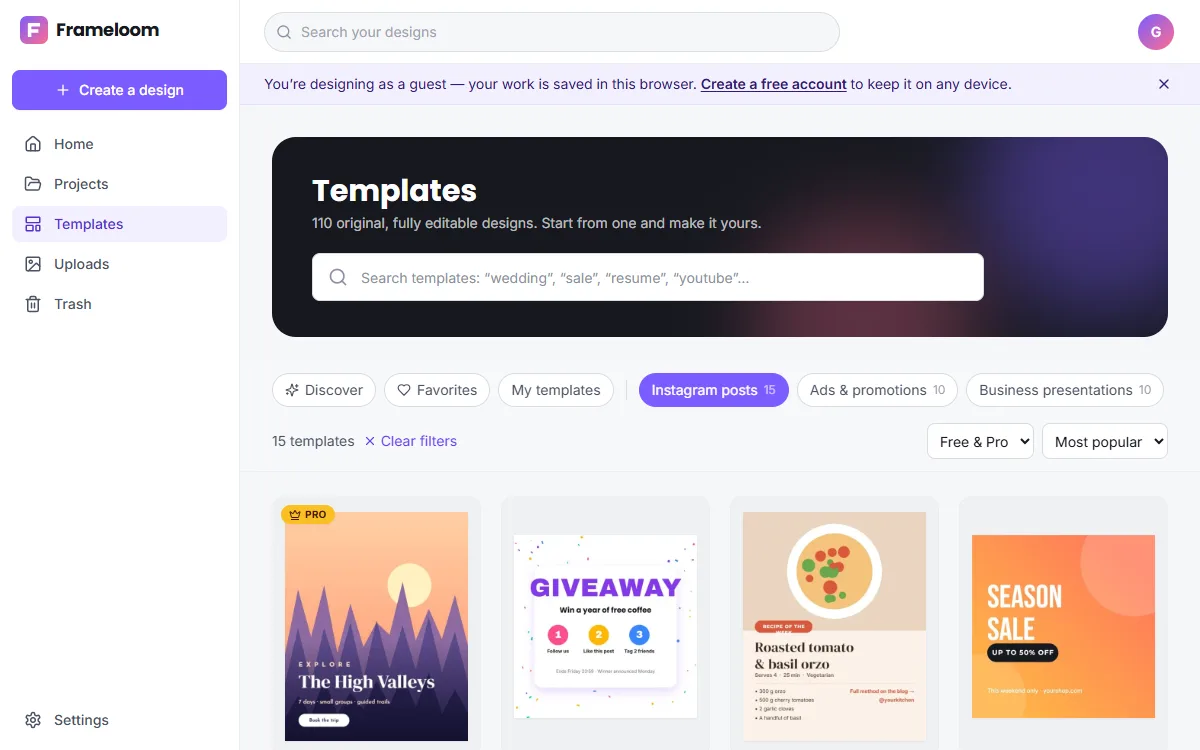
Create graphics for every social platform from one place. ZeoCanvas includes presets for Instagram posts and stories, Facebook posts and covers, LinkedIn posts, YouTube thumbnails and banners, and display ads.
Design once, then use Magic Resize to adapt the same design to other platforms.
Free · No signup required
Features of the Social Media Design Maker
Every major format
Presets for Instagram, Facebook, LinkedIn and YouTube at their recommended sizes.
Magic Resize
Copy a design to a new size and the layout is re-arranged to fit.
Consistent branding
Reuse colours, fonts and saved templates so every post looks like it belongs together.
Organised projects
Keep campaigns in folders, favourite the designs you reuse and search by name.
How to use the Social Media Design Maker
- 1
Start with one platform
Choose the format you post to most and design it first.
- 2
Resize for the rest
Use Magic Resize to create versions for other platforms, then fine-tune each.
- 3
Download the set
Export each version as PNG or JPG and schedule them in your favourite tool.
Recommended sizes
ZeoCanvas’s presets match the sizes platforms display at full quality:
- Instagram post 1080×1080 and portrait 1080×1350
- Instagram story 1080×1920
- Facebook post 1200×630 and cover 820×312
- LinkedIn post 1200×1200
- YouTube thumbnail 1280×720 and banner 2560×1440
Keep a consistent look
Audiences recognise brands that look the same everywhere. Pick two typefaces and a small set of colours, and reuse them across every platform. Saving a finished design as a private template means your next post starts from the same layout instead of a blank canvas, which also saves time each week.
Frequently asked questions
Can I post directly to social networks?
Not yet. Download your design and upload it to the platform or your scheduling tool.
How does Magic Resize work?
It scales and repositions elements proportionally for the new size, keeping text readable. Check the result and adjust if needed.
Can I save my own templates?
Yes. Save any design as a private template and reuse it from the template gallery.
Related tools
Instagram Post Maker
Make scroll-stopping Instagram posts with free square and portrait templates. Edit text, colours and photos, then download a crisp PNG or JPG.
Instagram Story Maker
Design Instagram Stories at the right 9:16 size with free templates, bold text and photo tools. Keep key content in the safe zone and export in seconds.
YouTube Thumbnail Maker
Create click-worthy YouTube thumbnails at 1280×720. Cut out your face with background removal, add bold titles and export a JPG under 2 MB.
Free Graphic Design Tool
Create professional graphics with a free drag-and-drop design tool: templates, text styles, shapes, photos, multi-page designs and PNG, PDF or SVG export.
Try the Social Media Design Maker now
It is free, it runs in your browser and you do not need an account to start.