
Presentations
Presentation maker
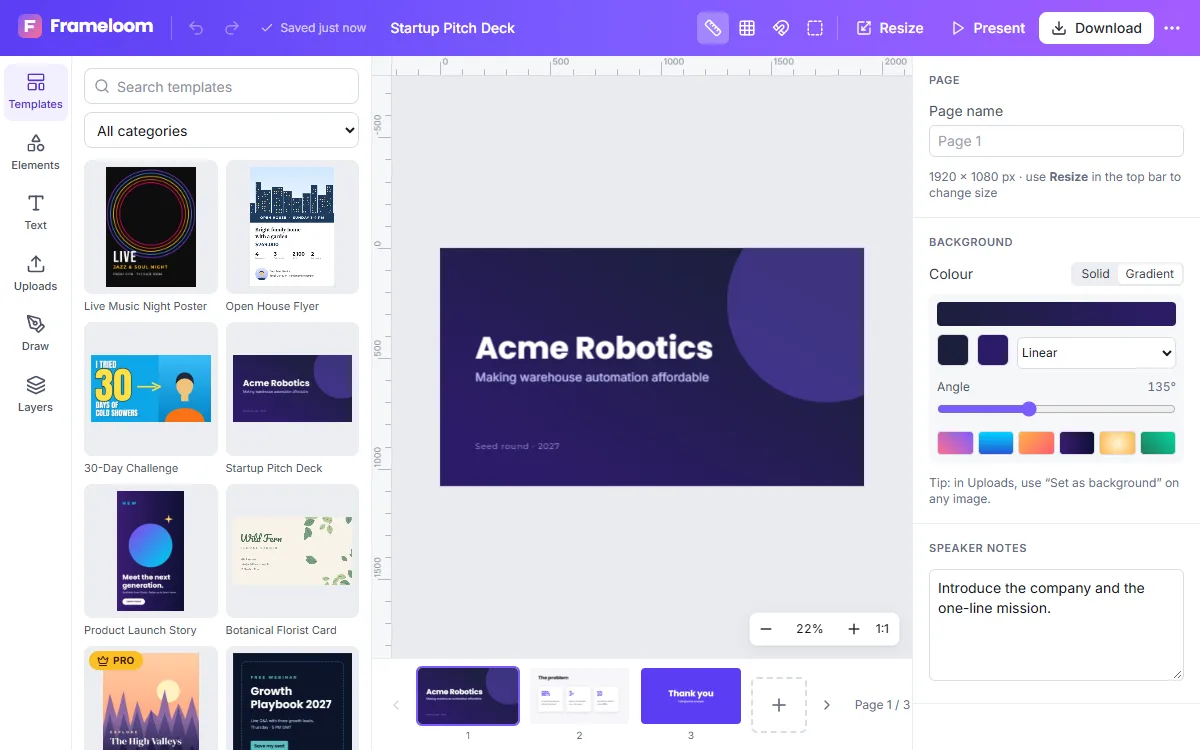
Build clear, good-looking slide decks in your browser. ZeoCanvas presentation templates use the 16:9 widescreen format and include title, content, statistics and closing slides.
Write speaker notes for each slide, present full-screen straight from the editor and export the deck to PDF.
Free · No signup required
Features of the Presentation Maker
Multi-slide templates
Decks with matching title, agenda, content and closing slides.
Speaker notes
Add notes to each slide to keep your talking points with the deck.
Present mode
Present full-screen with keyboard navigation and fade transitions.
PDF export
Download every slide as a page of a PDF to share before or after the talk.
How to use the Presentation Maker
- 1
Choose a deck
Open a presentation template or the 1920×1080 preset.
- 2
Build your slides
Duplicate slides, reorder them in the page strip and add notes.
- 3
Present or export
Click Present to go full-screen, or export to PDF.
Slides people remember
One idea per slide is the most reliable rule. Use a large statement, a single image or one chart rather than paragraphs of text — put the detail in your speaker notes instead.
From outline to finished deck
Start by writing one sentence for each slide in the speaker notes — that is your outline. Then pick a template and duplicate the slide layouts you need: a title slide, a few content slides, a statistics slide for key numbers and a closing slide with a clear next step. Reorder slides by dragging them in the page strip at the bottom of the editor.
- Title slide with the topic and your name
- Content slides with one idea each
- A closing slide with the action you want
Frequently asked questions
Can I import PowerPoint files?
No. ZeoCanvas creates its own designs; you can rebuild slides from a template or paste in images.
Can I present without internet?
Present mode needs the editor to be open. Exporting a PDF is the best option for presenting offline.
Are animations supported?
Slides use a simple fade transition in present mode. Element animations are not supported.
Related tools
Free Graphic Design Tool
Create professional graphics with a free drag-and-drop design tool: templates, text styles, shapes, photos, multi-page designs and PNG, PDF or SVG export.
Resume Design Maker
Make a polished, readable resume with free Letter-size templates. Edit sections, fonts and colours, then download a PDF that is ready to send.
Social Media Design Maker
Create matching designs for Instagram, Facebook, LinkedIn and YouTube. Resize one design to every platform with Magic Resize and keep your look consistent.
Poster Maker
Design event, sale and announcement posters with free templates in 18×24 in and A3 sizes. Download a print-quality 300 DPI PDF or a PNG.

Try the Presentation Maker now
It is free, it runs in your browser and you do not need an account to start.