
Resumes
Resume design maker
A well-designed resume is easier to read and easier to remember. ZeoCanvas resume templates use clean layouts with clear sections for experience, education and skills.
Choose a template, replace the sample content and download a PDF that is ready to send.
Free · No signup required
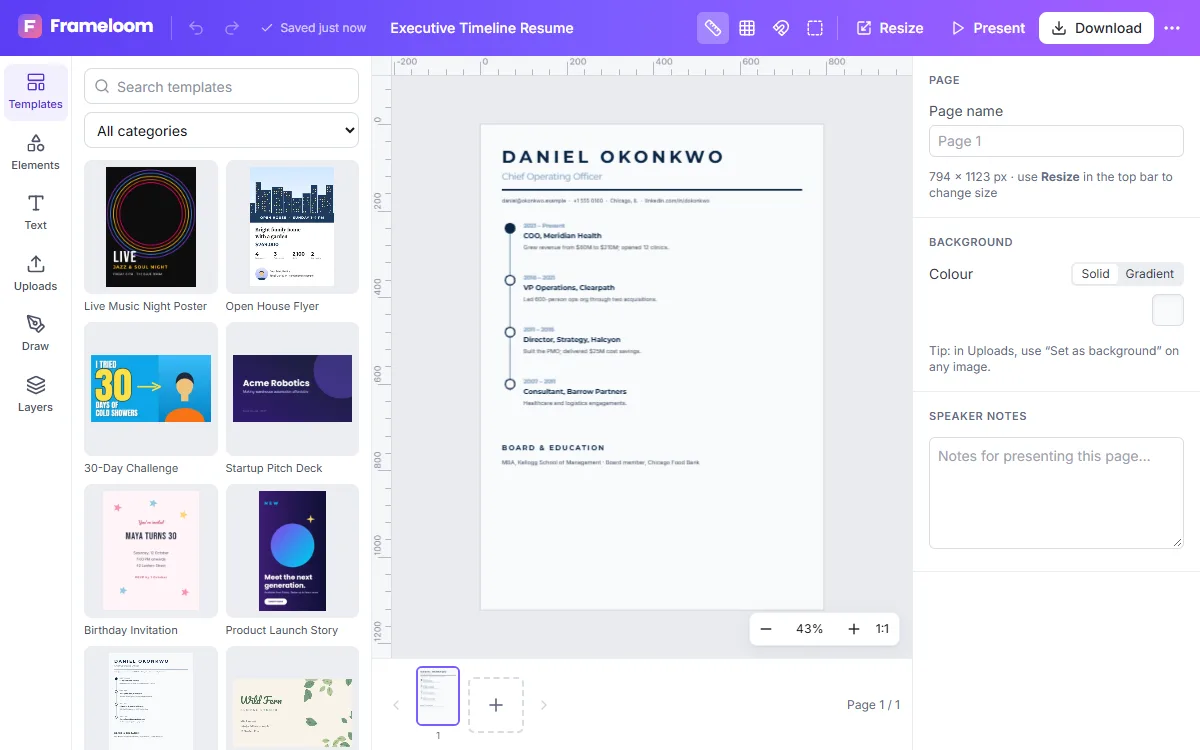
Features of the Resume Design Maker
Letter-size layouts
Templates sized for US Letter, with an A4 document preset also available.
Readable typography
Clear heading hierarchy and comfortable body sizes for scanning.
Multi-page support
Add a second page when your experience needs it.
PDF download
Export a high-resolution PDF suitable for email and printing.
How to use the Resume Design Maker
- 1
Choose a layout
Pick a one- or two-column resume template.
- 2
Write your content
Replace each section with your own experience, education and skills.
- 3
Download the PDF
Export and attach it to your application.
Design that helps, not distracts
Recruiters skim. Use consistent headings, keep dates aligned and limit colour to one accent. Let whitespace separate sections instead of lines and boxes.
Note: ZeoCanvas PDFs are rendered as high-resolution images, so text is not selectable. Some applicant tracking systems read text from PDFs; if an employer uses one, also keep a plain-text version of your resume.
Structure that recruiters expect
Start with your name and contact details, followed by a short profile of two or three lines. List experience in reverse chronological order with achievements rather than duties, then education and skills. If you have less experience, lead with education, projects or volunteering. Keep everything to one page unless you have many years of relevant work.
- Name, title and contact details at the top
- Experience with measurable results
- Education, skills and certifications
Frequently asked questions
Are the resume templates free?
Yes, the resume templates are free to use and edit.
Will applicant tracking systems read my resume?
ZeoCanvas PDFs contain images of text, which many tracking systems cannot read. Submit a text-based version where required.
Can I change the colours?
Yes. Every text, shape and background colour can be changed.
Related tools
Business Card Maker
Design front and back business cards with free templates. Add your logo, contact details and brand colours, then download a 300 DPI PDF for printing.
Presentation Maker
Build slide decks with free 16:9 presentation templates, speaker notes and full-screen present mode. Export every slide to PDF or images.
Free Graphic Design Tool
Create professional graphics with a free drag-and-drop design tool: templates, text styles, shapes, photos, multi-page designs and PNG, PDF or SVG export.
Flyer Maker
Make flyers for events, promotions and services with editable A4 templates. Swap photos, update details and export a print-ready PDF or shareable image.
Try the Resume Design Maker now
It is free, it runs in your browser and you do not need an account to start.