
Background remover
Photo background remover
Remove the background from a photo automatically. ZeoCanvas’s background remover uses an AI segmentation model that runs on your own device, so your photo is not sent to an AI service and there are no credits to buy.
Keep the result transparent, fill the background with a colour or place another image behind your subject.
Free · No signup required
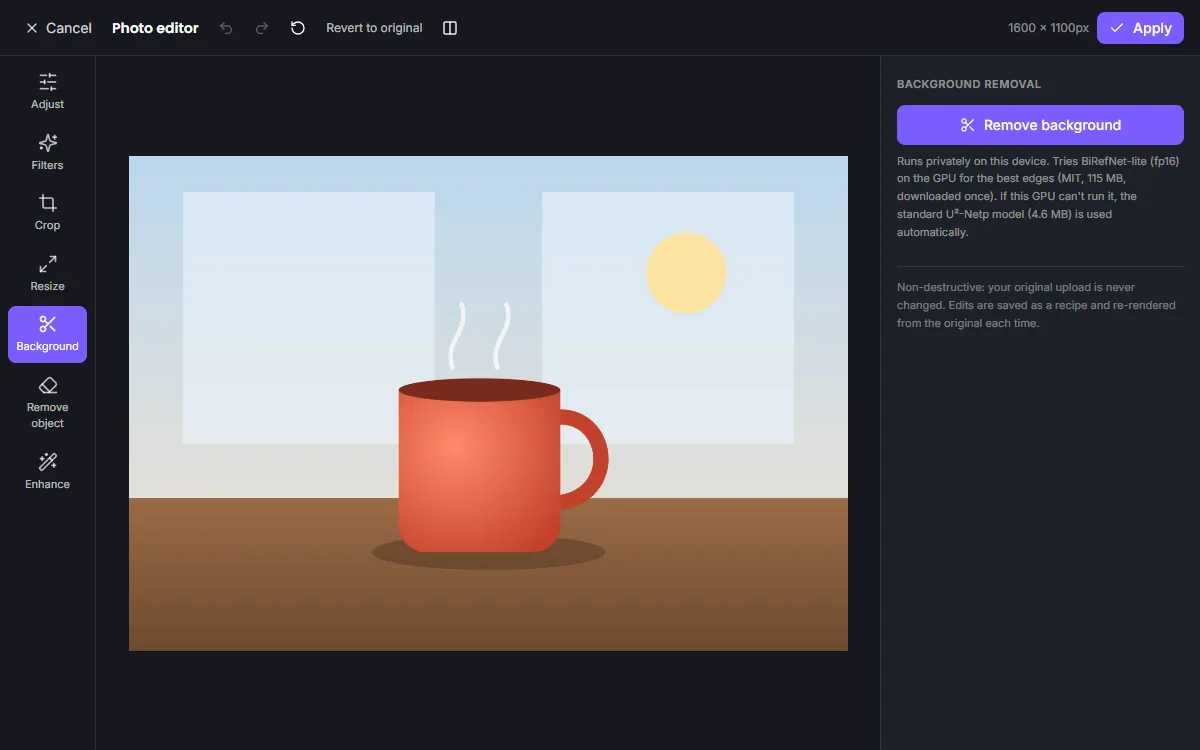
Features of the Photo Background Remover
Automatic cut-outs
One click detects the main subject — people, products, pets or objects.
Private by design
The model is downloaded once and runs in your browser using WebGPU when available, or the CPU otherwise.
Refined edges
Edge refinement follows the original photo, which helps around hair and soft outlines.
Transparent PNG or new background
Export with transparency, choose a solid colour, or put another image behind the subject.
How to use the Photo Background Remover
- 1
Upload a photo
Choose an image and open the Background tool.
- 2
Remove the background
The first run downloads the AI model; after that it is cached for future use.
- 3
Keep, replace or export
Leave it transparent, add a new background and download a PNG or use it in a design.
How on-device background removal works
A segmentation model estimates, for every pixel, how likely it is to belong to the foreground. ZeoCanvas turns that estimate into an alpha matte, refines its edges against the full-resolution photo and stores it alongside your original image.
Because the matte is saved separately, you can change the replacement background later without running the AI again.
Getting the best results
Clear contrast between subject and background gives the cleanest cut-out. Very fine details such as flyaway hair or transparent glass are hard for any automatic tool; results also depend on your device, because faster devices can run the larger, more accurate model.
Frequently asked questions
Is my photo uploaded for background removal?
The AI runs on your device. Your photo is only uploaded to ZeoCanvas storage when you apply the result to a design, like any other upload.
Why is the first removal slower?
The model (tens of megabytes) is downloaded the first time and then cached by your browser.
Can I get a transparent PNG?
Yes. Apply the edit and export the design as PNG with a transparent background.
Does it work on phones?
Yes, but it can take longer on phones and low-memory devices.
Related tools
Image Enhancer
Upscale small or soft images 2× to 4× with an AI super-resolution model, then fine-tune sharpness, noise and colour. Runs privately in your browser.
Free Online Image Editor
Crop, resize, adjust colours, apply filters and remove backgrounds with a free online image editor. Works in your browser, no signup or download.
YouTube Thumbnail Maker
Create click-worthy YouTube thumbnails at 1280×720. Cut out your face with background removal, add bold titles and export a JPG under 2 MB.
Online Photo Editor
Fix exposure, warm up colours and add film-style filters with an online photo editor. Every edit is non-destructive, so you can change it any time.
Try the Photo Background Remover now
It is free, it runs in your browser and you do not need an account to start.